Stop Tab-Hopping: Why You Need a Native Developer Toolkit
Advertisement
As developers, we live in the browser. But we also live in our terminals and IDEs. The constant friction of switching context—Alt-Tab to Chrome, Cmd-T for a new tab, typing “json formatter”, clicking the first result, closing the cookie banner—is a productivity killer.
The “Context Switch” Tax
Advertisement
Every time you leave your code to format a JSON string or decode a JWT, you pay a micro-tax on your attention span.
- Distraction: You open a browser for a tool, but see a notification. Five minutes later, you’re on Twitter.
- Latency: Even fast sites rely on your internet connection.
- Privacy Anxiety: Are you sure that “Free Online Base64 Decoder” isn’t logging your client’s API keys?
At Hasare, we solve the privacy and speed part by running everything client-side. But we can’t solve the “tab-hopping” problem. That’s inherent to the web.
Enter ToolGrid: The Native Solution
Advertisement
For developers who want to stay in the zone, a native desktop application is often the superior choice. This is where ToolGrid changes the game.
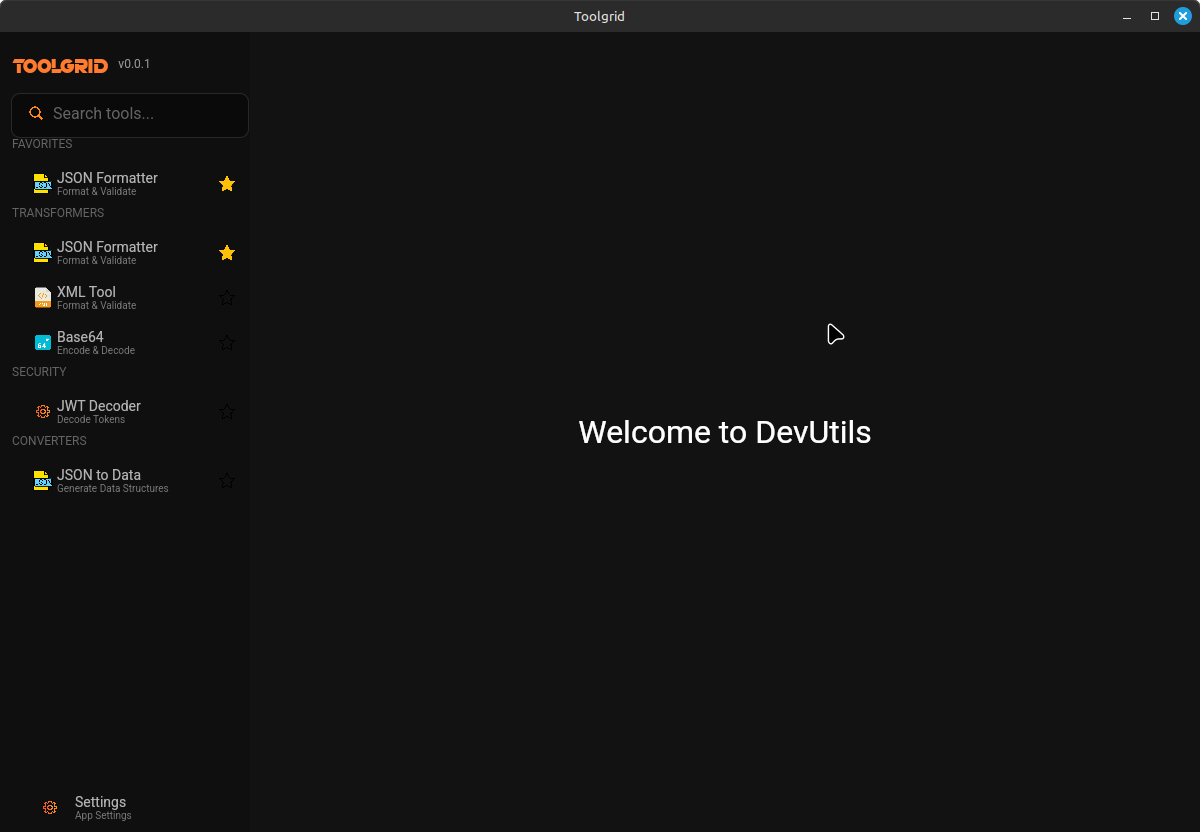
ToolGrid is a suite of developer utilities built in Rust. It brings the essential tools you use daily—JSON formatting, JWT decoding, Hash generation—directly to your desktop.
Why We Love It
- Blazing Fast: Built with Rust, it opens instantly. No loading spinners, no “waiting for server”.
- Offline First: Coding on a plane? Wi-Fi down? ToolGrid works perfectly without an internet connection.
- Zero Context Switching: Keep it open on your second monitor or a keystroke away. No more drowning in browser tabs.
- Type Safety: One of its standout features is JSON → Structs. You can paste a JSON object and instantly generate type definitions for Rust, TypeScript, Go, and more. This alone saves hours of boilerplate writing.
Web vs. Native: Which one is for you?
Advertisement
- Use Hasare if you’re on a public machine, need a quick fix, or want to share a tool URL with a colleague.
- Use ToolGrid if you’re deep in a coding session and want a powerful, persistent workspace that respects your privacy and your RAM.
Conclusion
Advertisement
Tools are about leverage. Whether you choose the web or the desktop, the goal is to reduce friction. If you find yourself constantly battling browser tabs, give ToolGrid a try. It might just be the workflow upgrade you’ve been looking for.
Advertisement